
Image to video
Bring any photo to life.
Image to video uses AI to turn a still photo into a moving clip. With ContentWave you upload a picture, describe the motion and get a 4 to 10 second video, from a portrait that turns to camera to a product in motion.
Free to download on iPhone and Android.
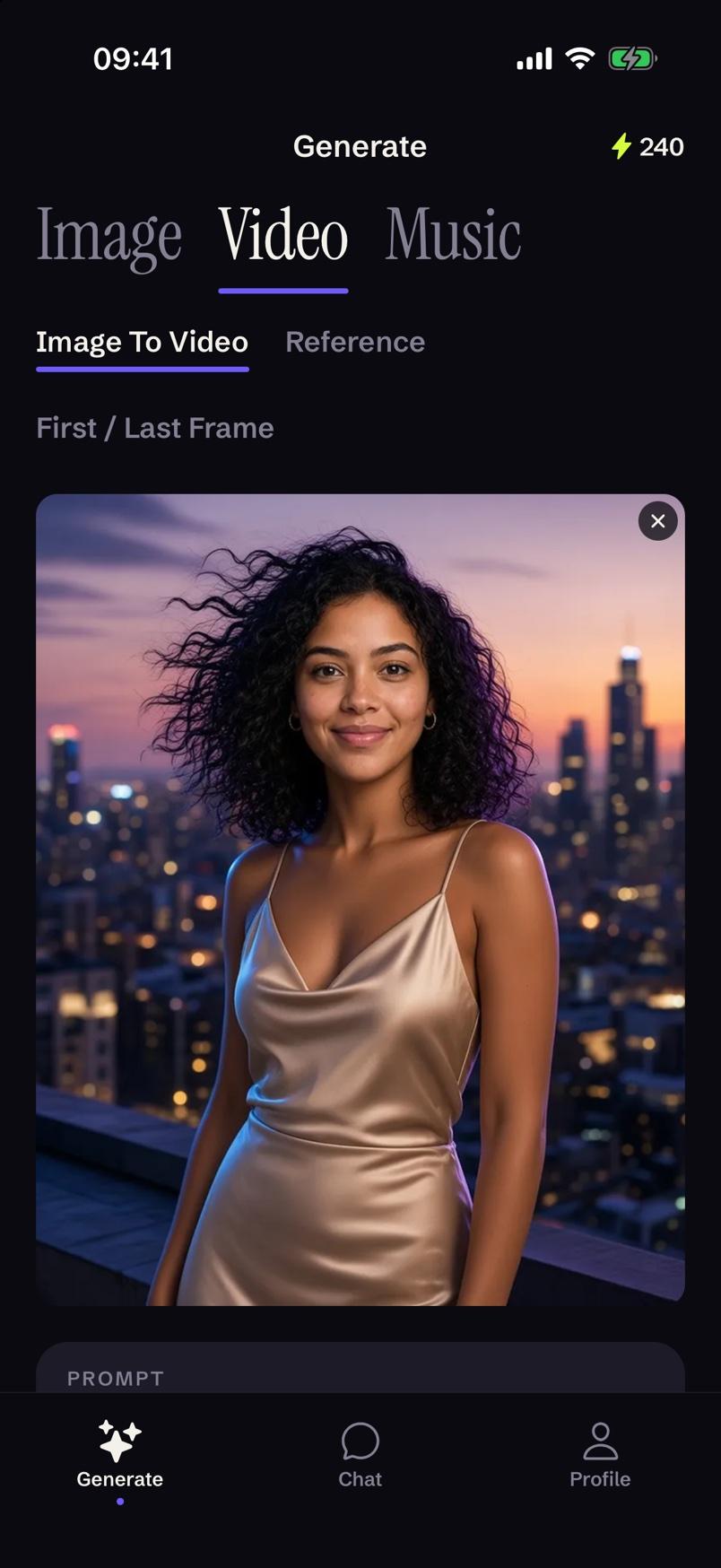
How it works.
Step 01
Upload a photo
Pick a JPG or PNG from your camera roll. A clear subject and good light give the best results.
Step 02
Describe the motion
Say what should move and how: “she turns to the camera and laughs” or “slow push-in as the petals fall”.
Step 03
Generate and share
Choose a model, length and resolution. Save the clip to Photos or share it in a tap.
What you can make.
Animate a single photo
Classic image to video: one picture becomes a short clip that keeps its look.
Guide with reference images
Add up to three reference images to steer the characters, style or setting of the clip.
First and last frame
Upload a start and an end image and AI creates the motion in between, ideal for transitions and before-and-after reveals.
Moving portraits
Selfies and portraits that smile, blink, turn or dance.
Pet clips
Pet photos that come to life with a wag, a jump or a head tilt.
AI photos in motion
Animate the images you make with the ContentWave image generator.
Questions, answered.
What is image to video?
Image to video is an AI technique that turns a still image into a short video. The model keeps the look of your photo and adds motion based on your description.
What’s the difference between image to video, reference and first / last frame?
Image to video animates one photo. Reference mode uses up to three images as a guide for a new clip. First / last frame takes a start and an end image and creates the motion that connects them.
Which photos work best?
Sharp photos with one clear subject, good lighting and an uncluttered background. Pick the aspect ratio that matches your photo: 9:16 for vertical shots, 16:9 for landscape.
Can I animate a photo of someone else?
Only with their permission. Our Terms of Service require consent from anyone whose image you upload.
Is image to video free?
The app is free to download. Animating photos needs ContentWave Pro, which includes credits every week or month. Video costs 10 to 20 credits a second, depending on the model.
Explore more.
Get the app
What are we making today?
Download ContentWave free, then subscribe to ContentWave Pro for the credits to generate.