
AI music generator
Make a song from a sentence.
ContentWave’s AI music generator writes original songs from your lyrics or a short description. Pick your genres, choose vocals or instrumental, and get a track of about a minute with its own cover art.
Free to download on iPhone and Android.
How it works.
Step 01
Write lyrics or a description
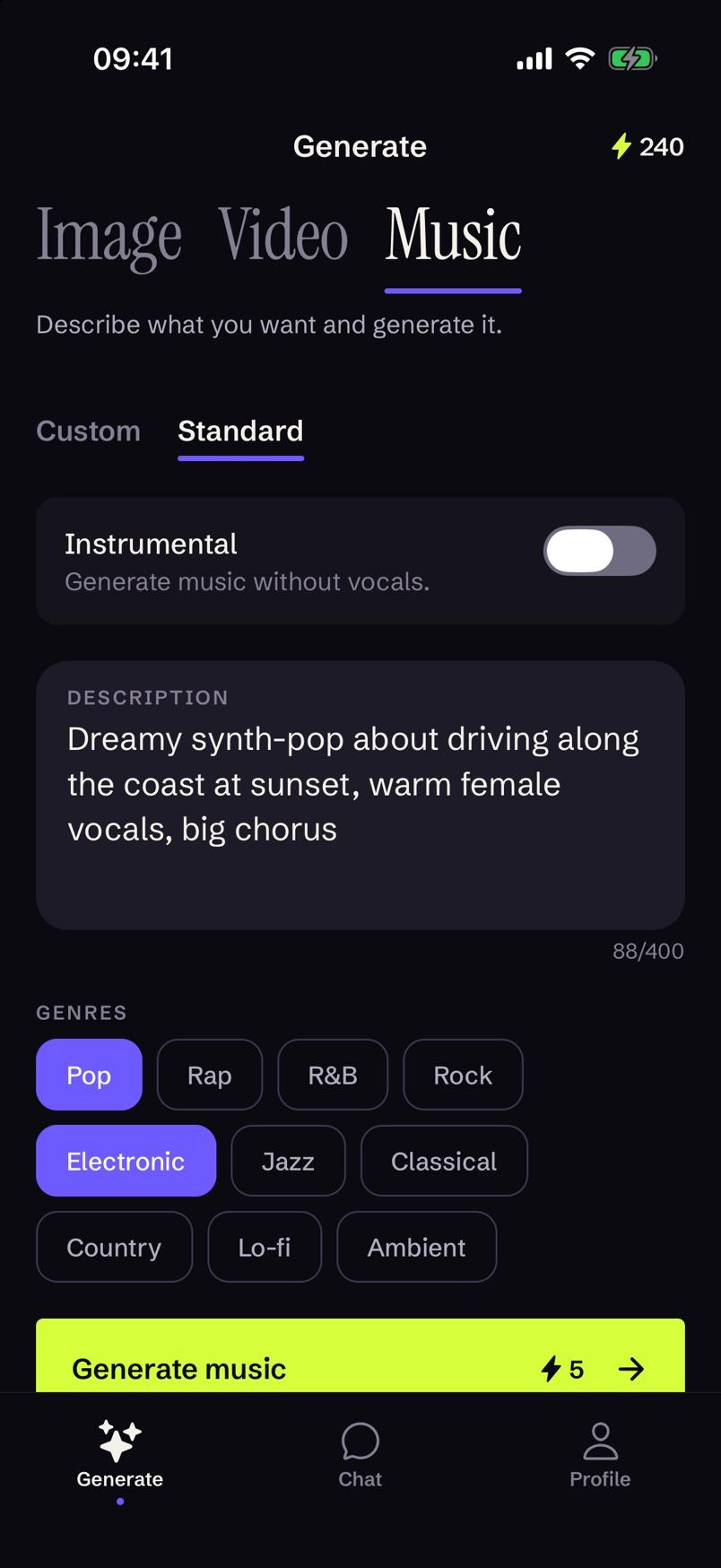
Use Custom mode to write your own lyrics, or Standard mode to describe the song, like “an upbeat summer pop song about road trips”.
Step 02
Choose genres and vocals
Pick your genres and choose vocals or instrumental. Give the track a title if you like.
Step 03
Listen, save and share
Your song arrives with cover art. Play it in the app, then save it or share it.
What you can make.
Background music for videos
Instrumental tracks for Reels, TikToks and vlogs that nobody else has.
Personal songs
A birthday song, an anniversary song or an inside joke set to music.
Brand jingles
A short, catchy track for your shop, podcast or channel.
Lo-fi and ambient
Calm tracks for study sessions, streams and winding down.
Song ideas
Hear your lyrics sung back to test a hook before you record it.
Questions, answered.
Can I write my own lyrics?
Yes. Custom mode turns your own lyrics, up to 400 characters, into a sung track.
Which genres can I choose?
Pop, rap, R&B, rock, electronic, jazz, classical, country, lo-fi and ambient.
Can I make instrumental music?
Yes. Switch on Instrumental to get a track without vocals.
How long are the songs?
Tracks are about a minute long.
How many credits does a song cost?
A song costs 5 credits, so the weekly plan’s 400 credits cover up to 80 songs.
Who owns the songs I make?
Under our Terms of Service, you own your lyrics and, to the extent the law allows, the music you generate.
Explore more.
Get the app
What are we making today?
Download ContentWave free, then subscribe to ContentWave Pro for the credits to generate.