
AI caption generator
Captions that write themselves.
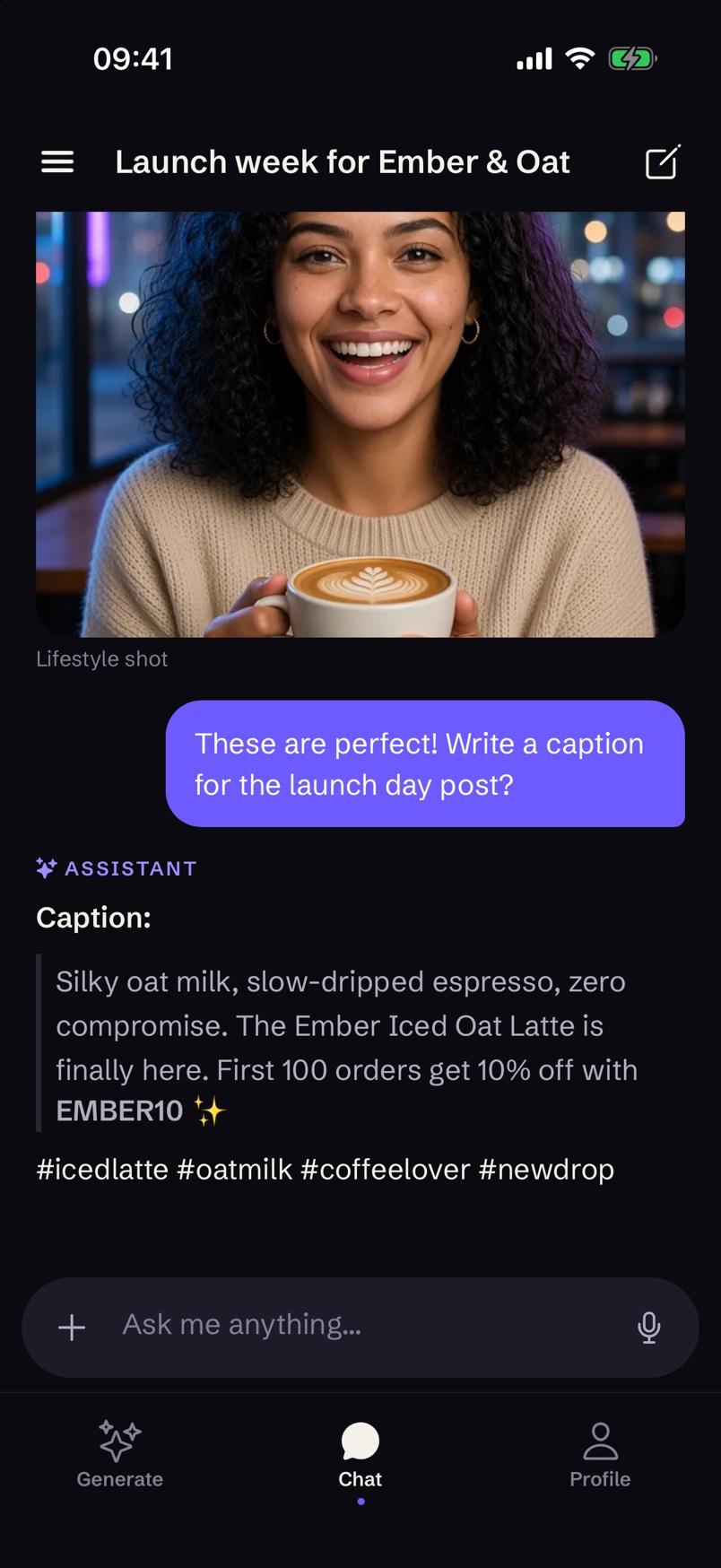
The ContentWave assistant is an AI chat built for creators. Attach a photo and it writes the caption, paste a draft and it makes it better, or ask for a week of content ideas. Type, or tap the mic and just talk.
Free to download on iPhone and Android.
How it works.
Step 01
Attach a photo or file
Add the photo you’re posting, or a brief, script or document for context.
Step 02
Ask in your own words
Type or use your voice: “write a launch-day caption for this”, “make this funnier” or “give me five hooks”.
Step 03
Refine and copy
Ask for changes until it sounds like you, then copy it into Instagram or TikTok. Every chat is saved.
What you can make.
Captions from a photo
Attach your picture and get a caption that matches it.
Improve a caption
Paste a draft and make it shorter, punchier, funnier or more on-brand.
Content ideas
Brainstorm posts, hooks and series ideas for your niche.
Weekly content plan
Plan what to post on each day of the week.
Summarize a file
Turn a long brief or document into its key points.
Hooks and hashtags
Opening lines that stop the scroll, and hashtags to go with them.
Questions, answered.
Can the AI write a caption from my photo?
Yes. Attach a photo to the chat and ask for a caption. The assistant looks at the image and writes one to match.
Can I use my voice instead of typing?
Yes. Tap the mic and talk, and the assistant turns what you say into a message.
Does the assistant cost credits?
No. Chat doesn’t use credits. It’s included with ContentWave Pro.
Are my chats saved?
Yes. Your conversations are saved so you can pick up where you left off.
Can it write in other languages?
Yes. The app is available in 11 languages, and you can chat with the assistant in any of them.
Explore more.
Get the app
What are we making today?
Download ContentWave free, then subscribe to ContentWave Pro for the credits to generate.